A watch party extension for Netflix, YouTube and any video player
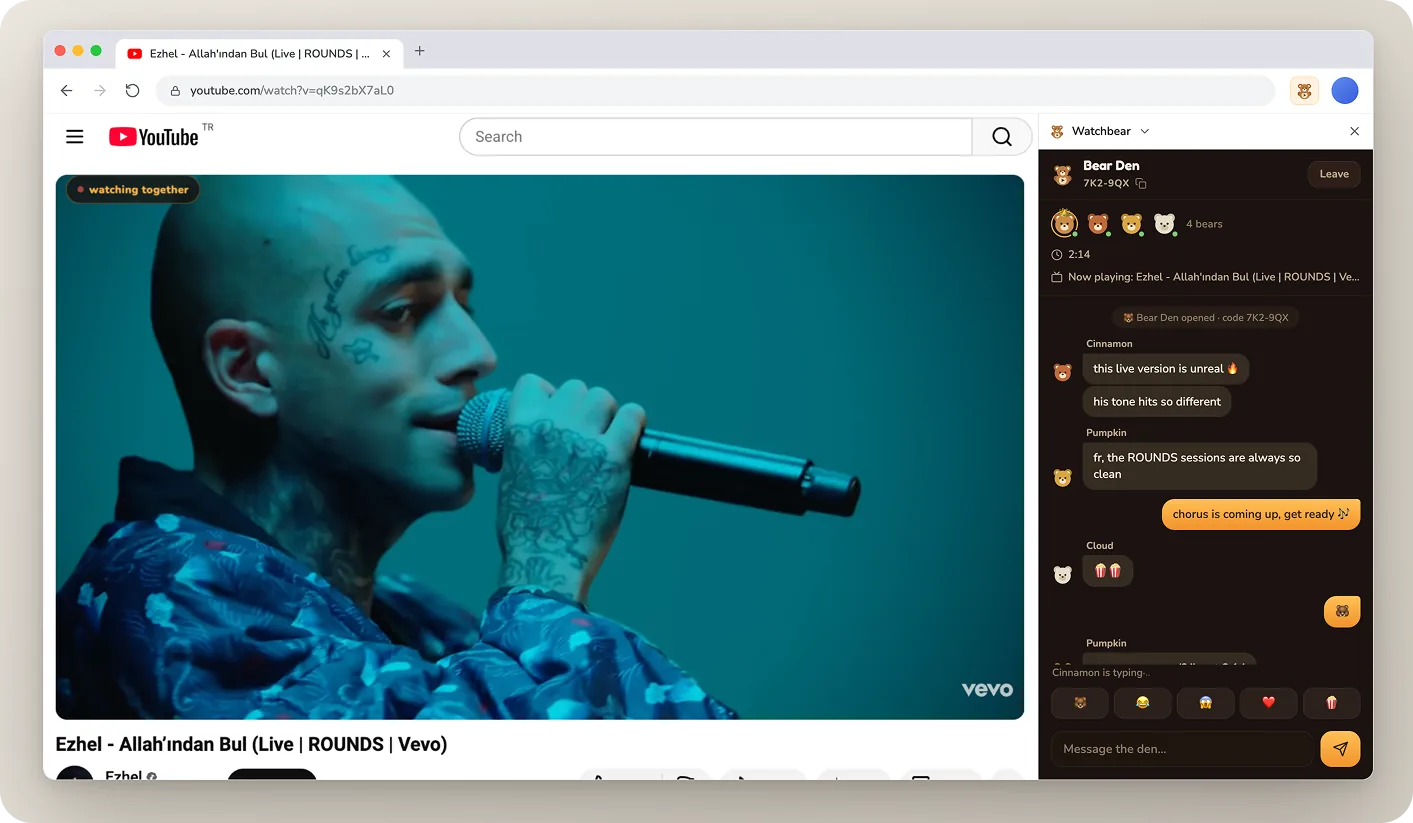
Watchbear adds a watch party button to Chrome. Open a video, start a room, and every player in the room plays, pauses and skips together, with chat, voice and video in a side panel beside the film.
What the extension does
- Synced playback. Play, pause and seek stay in step for everyone in the room.
- Video and voice chat, free. Up to 8 people on camera and microphone at once. Cameras start off every time you join.
- Chat and reactions. Messages and emoji reactions in Chrome's side panel, beside the video rather than over it.
- Invite link or room code. Send a link, or read out a short code. Up to 50 people in a room.
- No screen sharing. Each person plays their own copy at full quality, and only the playback position travels between you.
- Seven languages. The interface follows your browser language, and you can pick another one in the extension.
Friends in another city join from the same invite link. For long distance movie nights, see how to watch movies together long distance.
Supported sites
Watchbear does not keep a list of approved services. It looks for the main video on the page you open. What that means in practice:
| Site | How Watchbear handles it |
|---|---|
| Netflix | Dedicated handling: seeks go through Netflix's own player so it does not crash. See the Netflix party steps. |
| YouTube | Works, and keeps up when YouTube swaps in the next video without reloading the page. See watching YouTube together. |
| Vimeo | Works with the standard player. |
| Other sites with a video player | Works on most pages with a standard HTML5 video player, including players embedded in a frame, such as course platforms. |
| Hulu, Prime Video, Disney+, HBO Max | No dedicated handling. Watchbear looks for the video as on any page, and copy-protected players vary from site to site, so test with one friend first. |
Privacy in short
- Starting or joining a room needs a Google sign-in. The account keeps your email, name and profile picture, and you can ask for it to be deleted.
- Chat messages are relayed to your room and never written down. Room data lives in the server's memory only while the room is open.
- Voice and camera go peer to peer between the people in the room and are never recorded or stored by our server.
- Usage analytics go to our own server only. There are no third-party trackers, and data is never sold.
- No browsing history or page content is collected. Usage records keep only the domain of the video site, such as youtube.com.
The privacy policy has the full details.
Questions about the extension
Which browsers does the extension work in?
Chrome on a laptop or desktop computer. Watchbear is published on the Chrome Web Store only, and it does not run on phones or tablets.
Is it a Netflix watch party extension or a YouTube one?
Both. Netflix gets dedicated handling for its player, YouTube and Vimeo work out of the box, and the same room works on most other sites with a standard video player.
Why does Chrome say it can read data on all websites?
Watchbear has to find the video on whatever page you open, so it asks to run on every site. Its privacy policy says it does not collect your browsing history or page content, and usage records keep only the domain of the video site.
Does it cost anything?
No. Hosting a room, joining one, video and voice chat, messages and reactions are free, and nothing asks for a card. Everyone signs in with a Google account.
Does everyone in the room need the extension?
Yes. Each person plays the video in their own browser, so everyone needs Watchbear in Chrome and access to the video, such as their own Netflix account. Someone who opens an invite link without the extension is shown how to install it first.
Add Watchbear to Chrome
Comparing tools first? See Watchbear vs Teleparty and Watchbear vs Watch2Gether.
Add to Chrome, free