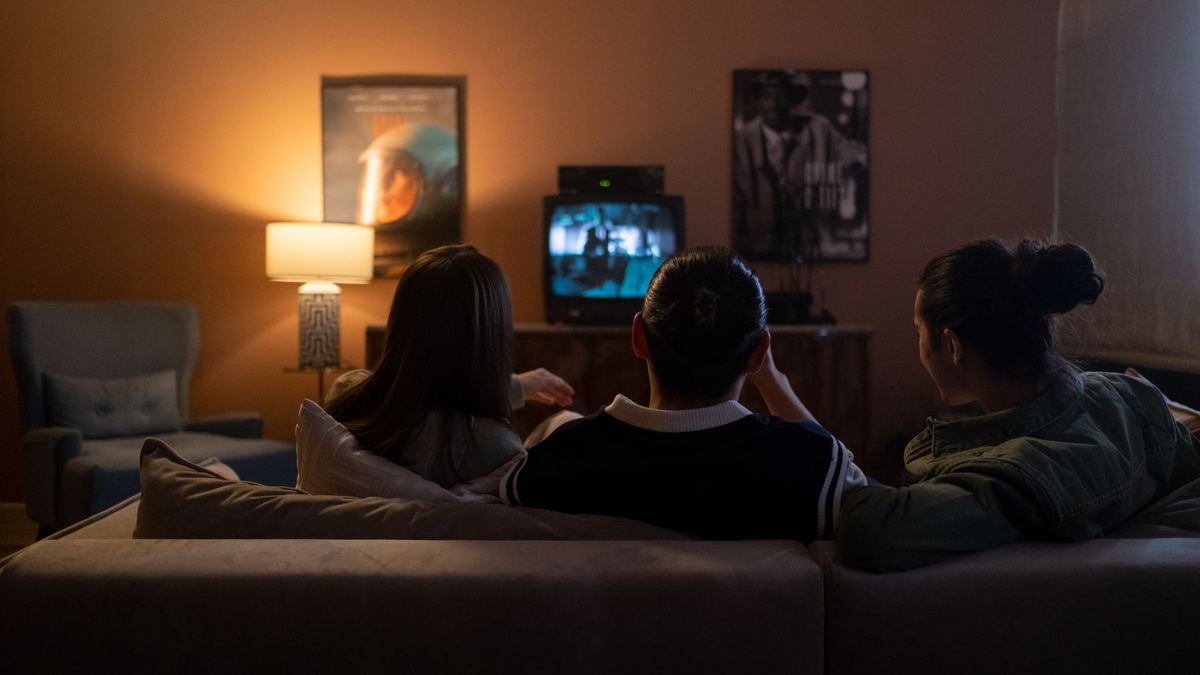
How to watch Netflix together online with friends
Pressing play at the same time on two Netflix accounts works for about five minutes. Here's how to keep a Netflix watch party in sync for the whole film, and what everyone needs before you start.

If you want to watch Netflix together online with friends in other cities, the hard part isn't picking the film. It's keeping everyone on the same scene once somebody pauses for a snack or their connection hiccups. A countdown in the group chat gets you started. It doesn't keep you together.
The fix is a Netflix watch party: every person plays the title on their own Netflix account, and a small extension keeps those players on the same second. When one person pauses, everyone pauses. When someone skips back to catch a line, the whole room goes back with them.
What you need for a Netflix watch party
Everyone needs their own way into Netflix. Each person streams the film from their own account, so a guest without access to the title can't watch it in the room either. Netflix limits sharing one account outside a household, so check your plan before you assume a friend can borrow yours. If several people in the same home join from different computers, the number of screens your plan allows at once also matters.
Everyone also needs Chrome on a laptop or desktop, since Watchbear is a Chrome extension, and a Google account to sign in to the room.
Last, check that the title exists for everyone. Netflix catalogs differ by country, so a film your friend in another country can see may simply not be there for you. Ask the group to search for it before the night, not five minutes before start time.
Why screen sharing Netflix rarely works
The first thing most groups try is sharing one screen on Zoom, Discord or Google Meet. With Netflix that often ends with everyone staring at a black rectangle. Netflix protects its streams with DRM, and in many browser and call app setups the shared window comes through black while the sound keeps playing.
When it does work, you're watching the film through a video call. The picture is compressed for faces, action scenes smear, and the host's upload speed decides the quality for everybody. We go into the details in why screen sharing a movie looks bad.
A sync extension avoids all of that. Nobody's screen gets shared. Each player streams from Netflix at full quality, and the only thing passing between you is the playback state: playing or paused, and at which second.
Netflix Party, Teleparty and other options
A lot of people still search for "Netflix Party". That was the name of a popular extension, which is now called Teleparty. If you're comparing tools, our Watchbear vs Teleparty page lays out how the two differ.
Watchbear isn't tied to Netflix. The same room works on YouTube, Vimeo and most sites with a standard video player, so your group can switch from a Netflix film to a YouTube trailer without changing tools.
How to watch Netflix together with Watchbear
1. Install the extension
Add Watchbear from the Chrome Web Store and pin the bear to your toolbar.
2. Open the title on Netflix
Go to netflix.com, pick your profile, and start the film or episode so the player loads. You can pause it right away.
3. Click the bear and start a room
The Watchbear side panel opens next to Netflix with a room ready. Sign in with Google if it asks.
4. Send the invite link
Copy the invite link and drop it in your group chat. Your friends open it, sign in to Netflix on their own account if they aren't already, and land on the same title inside the room. Anyone who doesn't have Watchbear yet gets pointed to the install page first.
5. Press play
Once everyone is in, press play. Anyone can pause or skip, and every player follows. Watchbear has dedicated support for Netflix's player, so skips land on the right second for everyone.
Tip: ask everyone to open Netflix and pick their profile ten minutes early. The "Who's watching?" screen and a forgotten password are the two most common reasons a Netflix watch party starts late.
Watching a series together
Films are simple. Series need one extra step, because Netflix moves on to the next episode by itself, and different people may hit that countdown at different moments.
Ask everyone to set "Follow the host's video" to Auto in the side panel. When the host moves to the next episode, their tabs move with them. If someone ends up on a different episode anyway, have them open the invite link again.
Agree on intros before you start. A skip from one person moves the whole room, so decide whether you're a skip-the-intro group or a sing-along group.
Talking during the film
The chat sits in the side panel next to Netflix, so messages never cover subtitles. Emoji reactions are one click away, which is handy for the scenes where typing is too slow.
If your group would rather talk, voice and video chat are built in. Cameras start off every time you join, so nobody is on screen until they choose to be. Whatever you do, wear headphones on voice, or your mic will pick up the film and send it back to everyone.
When something goes wrong
"This title isn't available"
That's the regional catalog. Pick something everyone can open, or switch to a free option on YouTube for the night.
Someone is a few seconds off
Skip back a few seconds. The skip moves every player in the room, so everyone lands on the same frame again. If one person still drifts, have them reload the page and rejoin through the invite link.
Netflix says too many people are watching
Your plan allows a set number of screens at once. If two people in one home join on the same account, that counts as two.
Hosting for the first time? Our guide to hosting an online watch party covers the general setup.
Common questions
Can you watch Netflix together online for free?
The sync part is free. Watchbear costs nothing, and everyone signs in with their own Google account. Each person still needs their own Netflix subscription, because everyone streams the film from their own account.
Does everyone need their own Netflix account to watch together?
Yes. A watch party extension only shares the playback position between players. It never sends the video, so every guest needs to be able to open the title on Netflix themselves.
Is Netflix Party still around?
The extension that used the Netflix Party name is now called Teleparty. Watchbear is another option. It works on Netflix and also on YouTube, Vimeo and most sites with a standard video player. Our Watchbear vs Teleparty comparison covers the differences.
How many people can join a Netflix watch party?
A Watchbear room holds up to 50 people, and up to 8 of them can be on voice or camera at the same time.